Cancel a Transaction
Overview
Section titled “Overview”You can cancel a transaction when the payment amount was wrong or a transaction needs to be reversed.
If you need to correct the amount after a transaction, cancel it first, then make the transaction again with the correct amount.
Bank charges and bank-funded Gift purchases can only be canceled on the day of the debit (Japan Standard Time).
What Happens to the Balance
Section titled “What Happens to the Balance”When you cancel a charge, point grant, or point rebate, the balance added by that transaction is deducted first. This applies to the part the member still holds that has not expired.
For example, if you gave points the wrong expiry date and those points are still available, you can cancel the grant and give them again with the correct date.
If the member has already spent or transferred some of that balance, the rest is taken from their other balances, starting with those that expire soonest. Charged Balance is deducted from Charged Balance, and points from points.
If the member does not have enough available balance, the transaction cannot be canceled and their balance stays as it is.
Cancel a Gift Purchased by Card or Bank Account
Section titled “Cancel a Gift Purchased by Card or Bank Account”You can cancel a Gift’s issuance transaction while the Gift is unreceived, unexpired, and its full balance remains unused. Received or used Gifts cannot be canceled.
Once the transaction has been finalized as a scheduled Payout, it can no longer be canceled.
Cancellation makes the Gift unusable and starts cancellation of the original card payment or a refund to the bank account used for the purchase. The timing of the update on the card statement depends on the card issuer.
When the Payment Provider Does Not Accept the Cancellation
Section titled “When the Payment Provider Does Not Accept the Cancellation”When you cancel a card or bank charge or Gift purchase, the cancellation is also requested from the payment provider (such as the card issuer or bank). If the provider does not accept it, the transaction is not canceled, and the member’s balance and any purchased Gift stay as they are. Check the reason shown.
- If you see “The payment provider cannot accept cancellations right now”, wait a while and cancel again.
- If you see “The payment provider declined the cancellation”, adjust a charge with manual payment or refund features if needed. For a Gift purchase, the Gift stays usable, so contact support.
- If you see “The result of the previous cancellation could not be confirmed”, the member may already have been refunded by the previous cancellation. Contact support before refunding the member separately.
Cancel a Transaction
Section titled “Cancel a Transaction”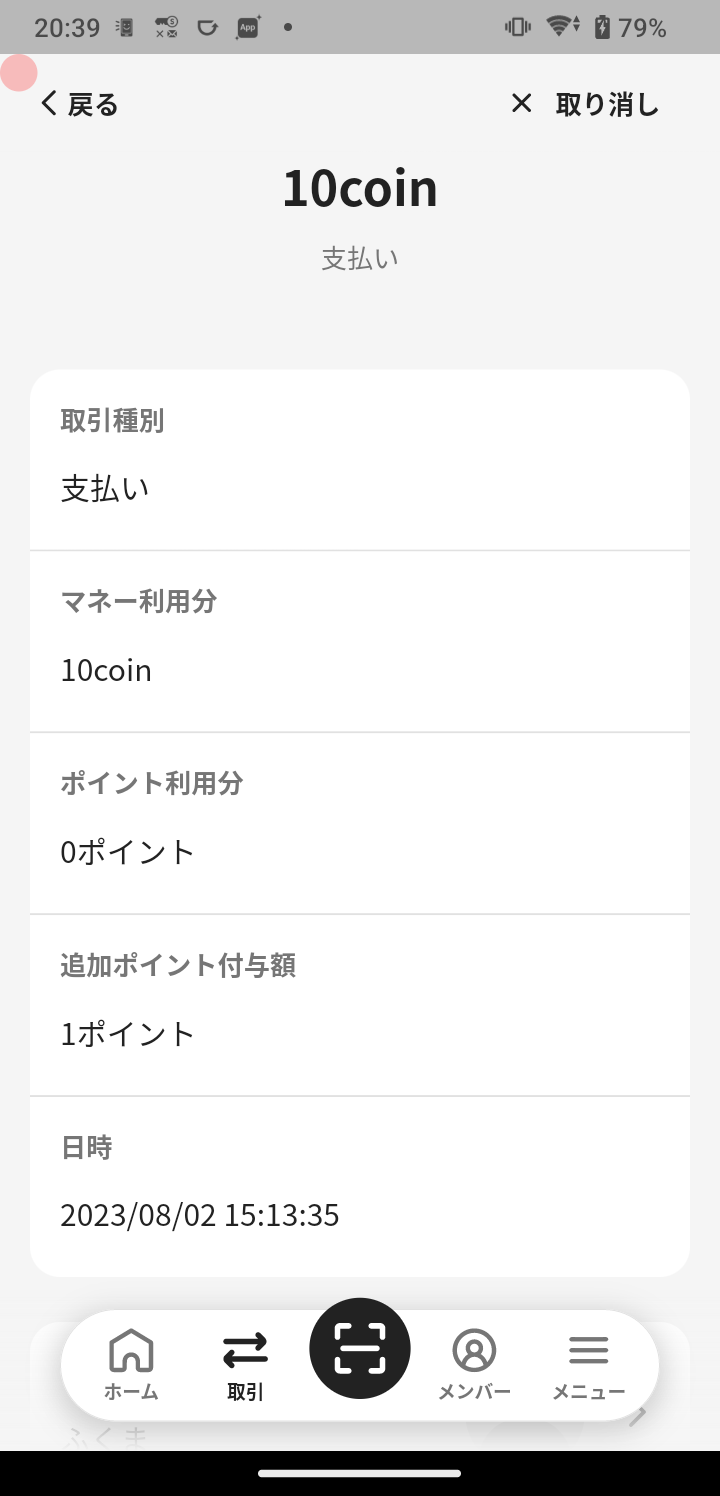
You can cancel a transaction with the following steps.
- Tap “Transactions” in the navigation bar.
- Tap the transaction you want to cancel.
- Tap “Cancel” in the top right.
- Review the confirmation screen and enter a message to the member if needed.
- Tap “Continue Cancel”.
⚠️ Note
Transactions in your POS register or ordering system are not canceled automatically. If you also manage the transaction in those services, complete their required cancellation steps.
