Set Region and Timezone
<div class="notion-yellow-bg">
> ⚠️ These settings are needed to comply with laws in the service region. They cannot be changed after review approval, so configure them during the free trial period.
</div>
## Overview
You can check and change region-related settings for your e-money.
## Set Region and Timezone
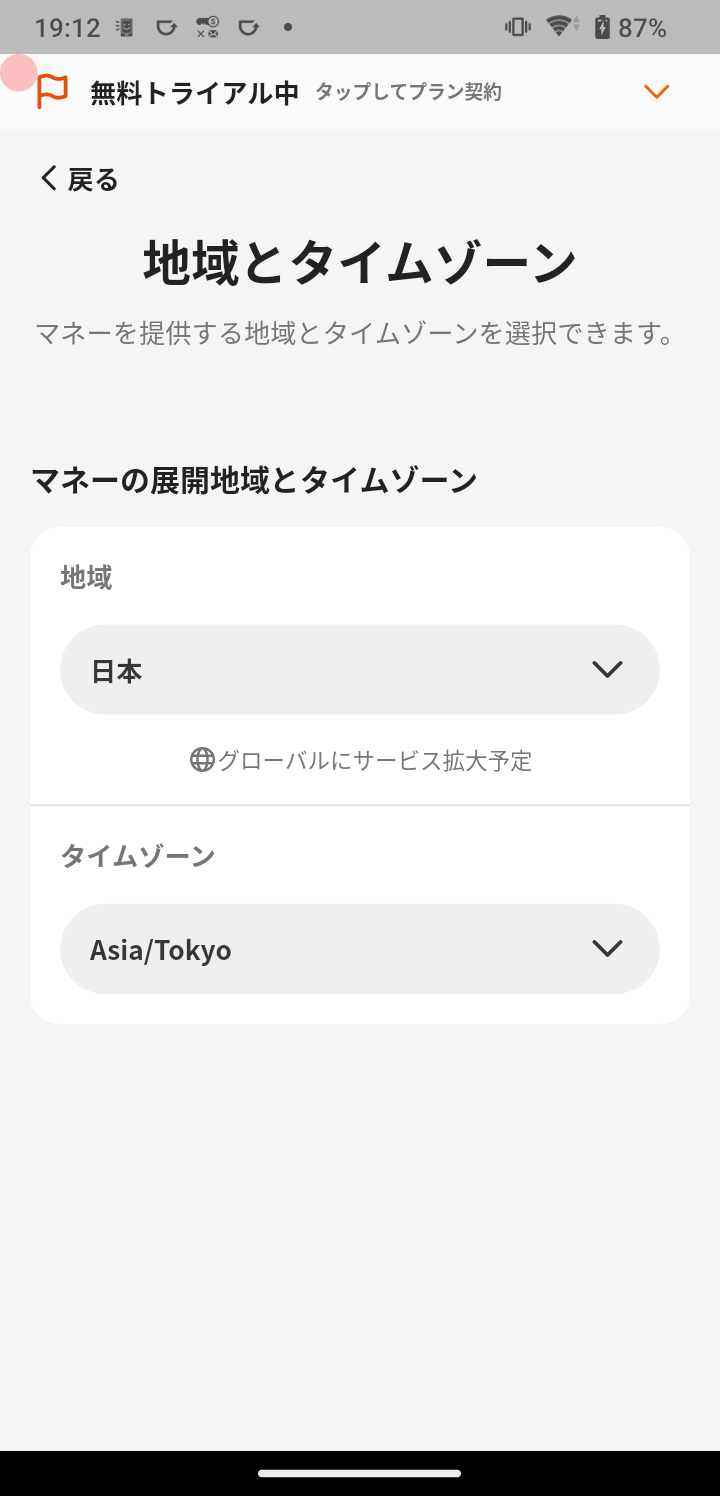
1. Tap **Menu** in the navigation bar.
2. Tap **E-money Settings**.
3. Tap **E-money Provider Information**.
4. Tap **Region and Timezone**.
#### Set the region
1. Tap the region.
2. Select the country.
#### Set the timezone
1. Tap the timezone.
2. Select the timezone.
⚠️ These settings are needed to comply with laws in the service region. They cannot be changed after review approval, so configure them during the free trial period.
Overview
Section titled “Overview”You can check and change region-related settings for your e-money.
Set Region and Timezone
Section titled “Set Region and Timezone”
- Tap Menu in the navigation bar.
- Tap E-money Settings.
- Tap E-money Provider Information.
- Tap Region and Timezone.
Set the region
Section titled “Set the region”- Tap the region.
- Select the country.
Set the timezone
Section titled “Set the timezone”- Tap the timezone.
- Select the timezone.
