Change Expiration Notification Settings
## Overview
You can remind members who have balance nearing expiration and encourage them to visit again. Notification days can be configured freely. Members receive a message and email, and SMS can also be enabled as an option. By default, notifications are set for 1 day, 7 days, and 30 days before expiration.
## Configure Notification Days
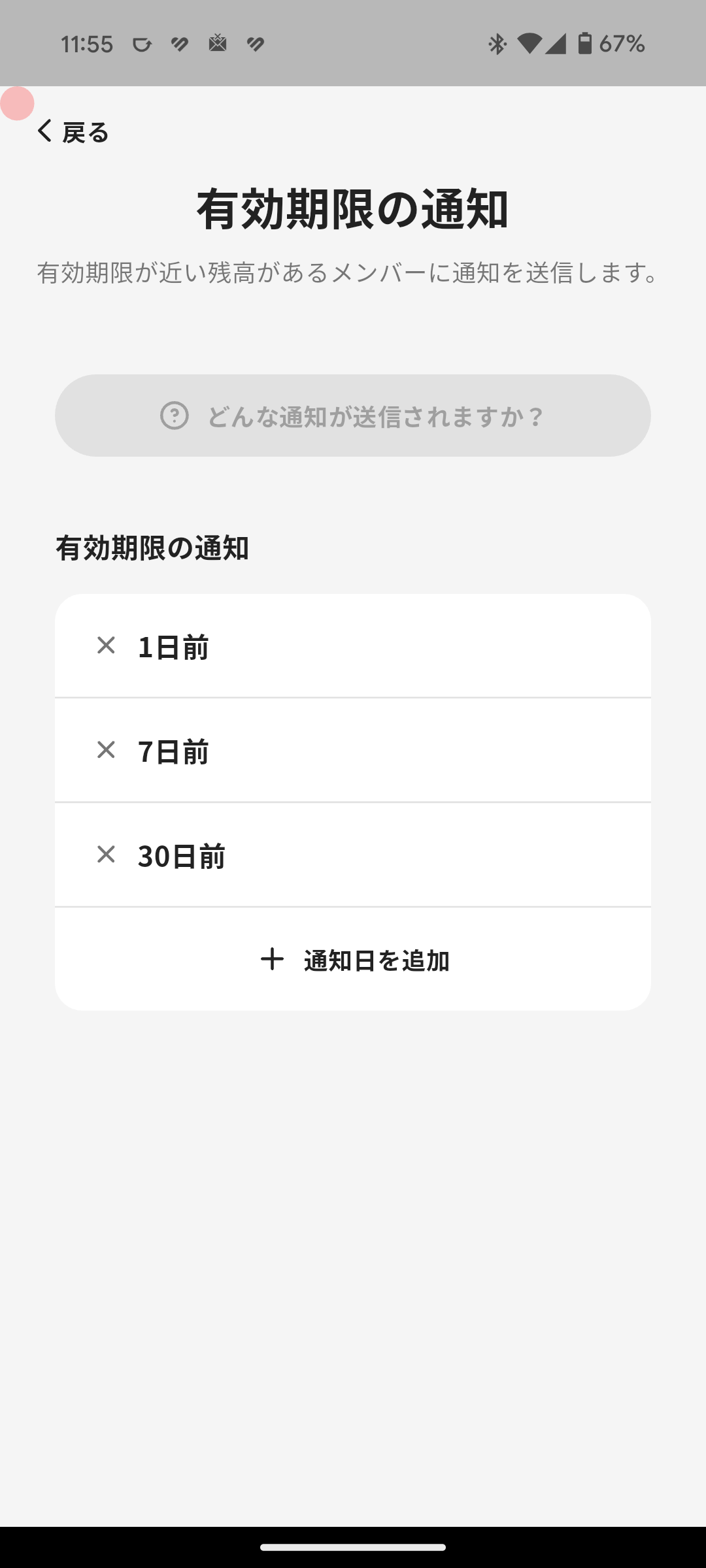
Follow these steps to configure Expiration Notification settings.
1. Tap "Menu" in the navigation bar.
2. Tap "Member Settings".
3. Tap "Expiration Notification".
4. Tap "Add Notification Date".
5. Enter how many days before expiration to notify members, optionally check "Also send SMS", then tap "Save".
## Notification Content Sent to Members
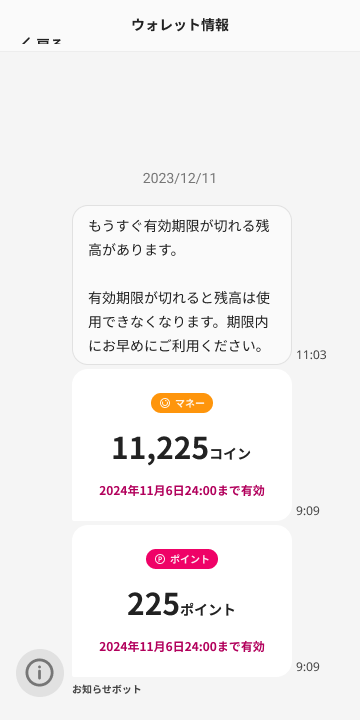
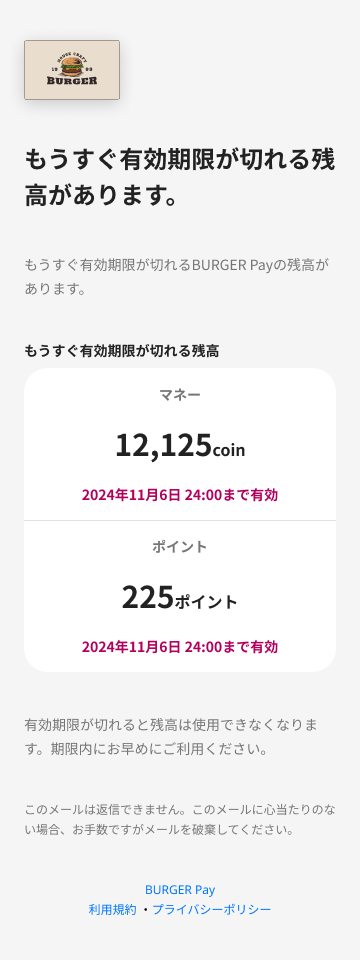
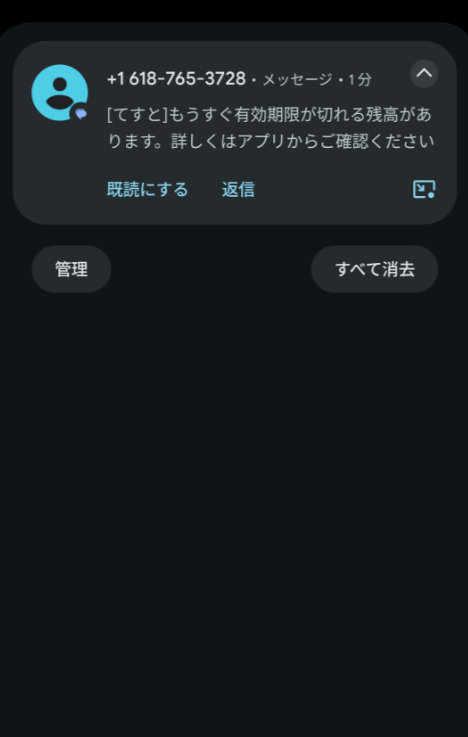
Members receive notifications like the examples below.
### Message
### Email
### SMS
<div class="notion-gray-bg">
> ⚠️ In-app messages and emails are free.
>
> SMS is optional and costs ¥10 per message.
</div>
Overview
Section titled “Overview”You can remind members who have balance nearing expiration and encourage them to visit again. Notification days can be configured freely. Members receive a message and email, and SMS can also be enabled as an option. By default, notifications are set for 1 day, 7 days, and 30 days before expiration.
Configure Notification Days
Section titled “Configure Notification Days”
Follow these steps to configure Expiration Notification settings.
- Tap “Menu” in the navigation bar.
- Tap “Member Settings”.
- Tap “Expiration Notification”.
- Tap “Add Notification Date”.
- Enter how many days before expiration to notify members, optionally check “Also send SMS”, then tap “Save”.
Notification Content Sent to Members
Section titled “Notification Content Sent to Members”Members receive notifications like the examples below.
Message
Section titled “Message”


⚠️ In-app messages and emails are free.
SMS is optional and costs ¥10 per message.
