Check Member Usage Trends
## Overview
Statistics let you check how numbers change as members use your app.
Various data is recorded after launch, including balances and other information useful for business operations.
Use these numbers when planning measures and campaigns.
## Check Usage Trends
You can check usage trends with the following steps.
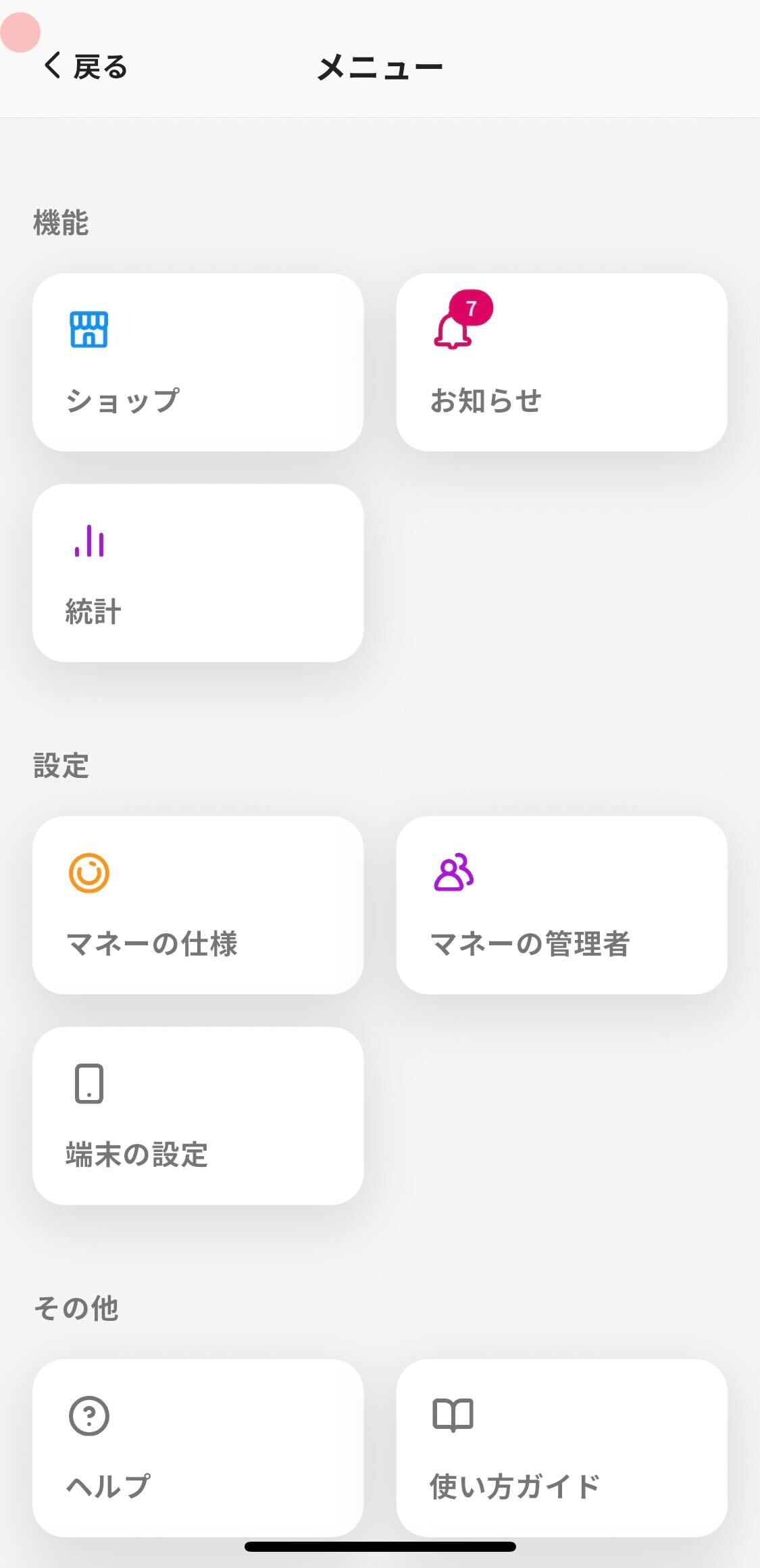
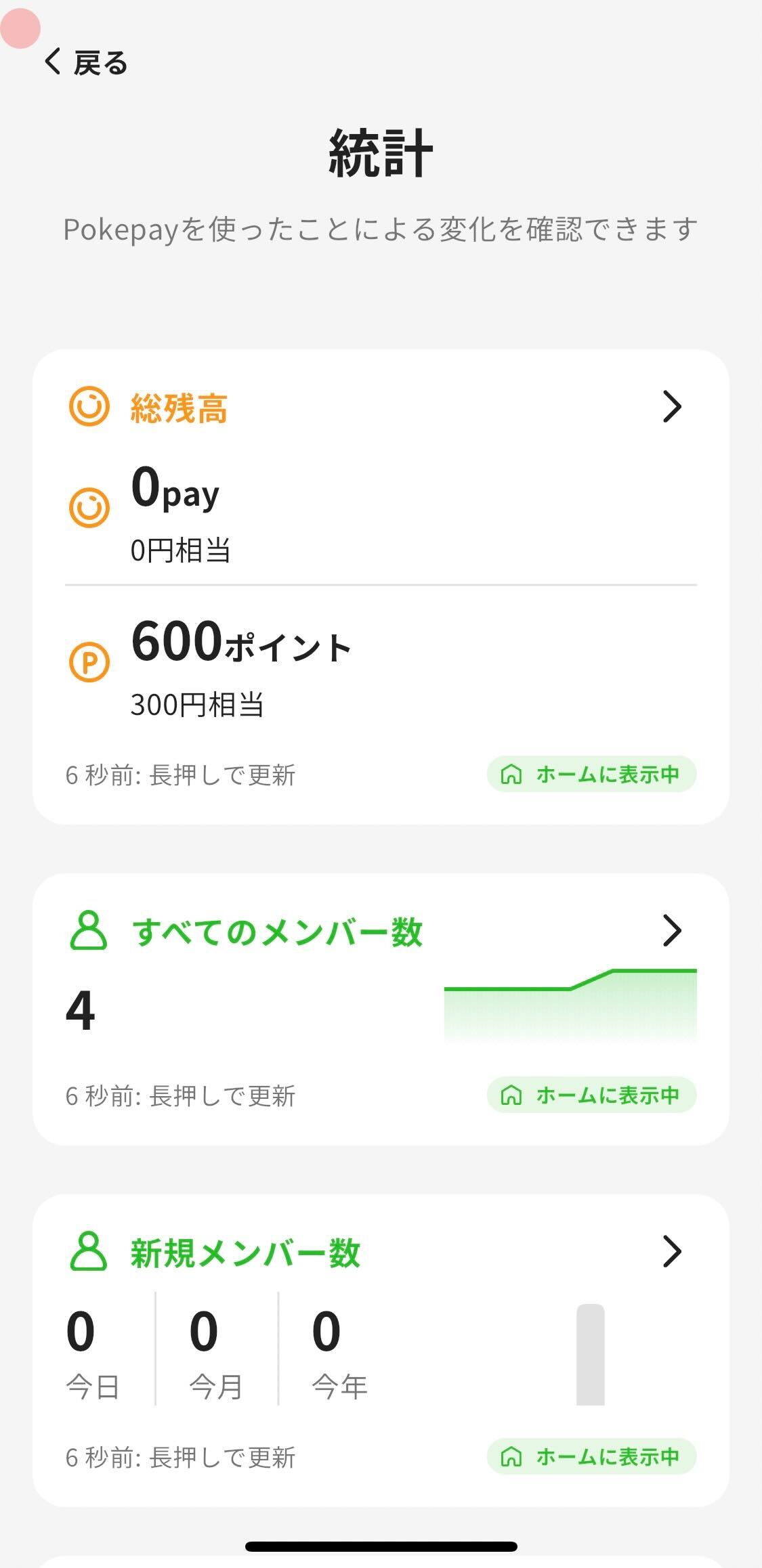
1. Tap "Menu" in the navigation bar.
2. Tap "Statistics".
3. Tap the item you want to check.
1. For items you want to keep checking, tap the item and turn on "Display on home screen" at the bottom of the screen.
2. Tap "Last update" to update to the latest data.
- Statistics items
- Total charged balance: Shows the current total charged balance. The chart records one point per day, and today's point is the current balance.
- Total Points Balance: Shows the current total points balance. The chart records one point per day, and today's point is the current balance.
- Total Members: Shows all members registered so far.
- Total Transactions: Shows the cumulative number of Payments, Charges and Point Rewards. Canceled transactions are not included.
- Total Charge: Shows the total charge amount.
- Total Payment: Shows the total payment amount.
- Transaction Insights: Shows transaction count trends.
- Top Balances: Shows members with the highest current balances.
- Expiring Soon: Shows statistics related to expiry dates.
- Top Transactions: Shows members sorted by total transaction count, including payments, charges and Point Rewards. Canceled transactions are not included.
- Top Payment Value: Shows members with the highest total payment amount.
- Top Charge Value: Shows members with the highest total charge amount.
- Most Visited Shops: Shows shops with the highest usage count.
Overview
Section titled “Overview”Statistics let you check how numbers change as members use your app.
Various data is recorded after launch, including balances and other information useful for business operations.
Use these numbers when planning measures and campaigns.
Check Usage Trends
Section titled “Check Usage Trends”You can check usage trends with the following steps.


- Tap “Menu” in the navigation bar.
- Tap “Statistics”.
- Tap the item you want to check.
- For items you want to keep checking, tap the item and turn on “Display on home screen” at the bottom of the screen.
- Tap “Last update” to update to the latest data.
- Statistics items
- Total charged balance: Shows the current total charged balance. The chart records one point per day, and today’s point is the current balance.
- Total Points Balance: Shows the current total points balance. The chart records one point per day, and today’s point is the current balance.
- Total Members: Shows all members registered so far.
- Total Transactions: Shows the cumulative number of Payments, Charges and Point Rewards. Canceled transactions are not included.
- Total Charge: Shows the total charge amount.
- Total Payment: Shows the total payment amount.
- Transaction Insights: Shows transaction count trends.
- Top Balances: Shows members with the highest current balances.
- Expiring Soon: Shows statistics related to expiry dates.
- Top Transactions: Shows members sorted by total transaction count, including payments, charges and Point Rewards. Canceled transactions are not included.
- Top Payment Value: Shows members with the highest total payment amount.
- Top Charge Value: Shows members with the highest total charge amount.
- Most Visited Shops: Shows shops with the highest usage count.
