How to Refer Pokepay to Someone You Know with a Referral Code
## Overview
You can send someone you know a referral code that gives them a free period after they subscribe.
If someone you know is considering introducing prepaid e-money, or is thinking about how to attract repeat customers and grow loyal customers, use this feature to introduce Pokepay.
## Share a Referral Code with Someone You Know
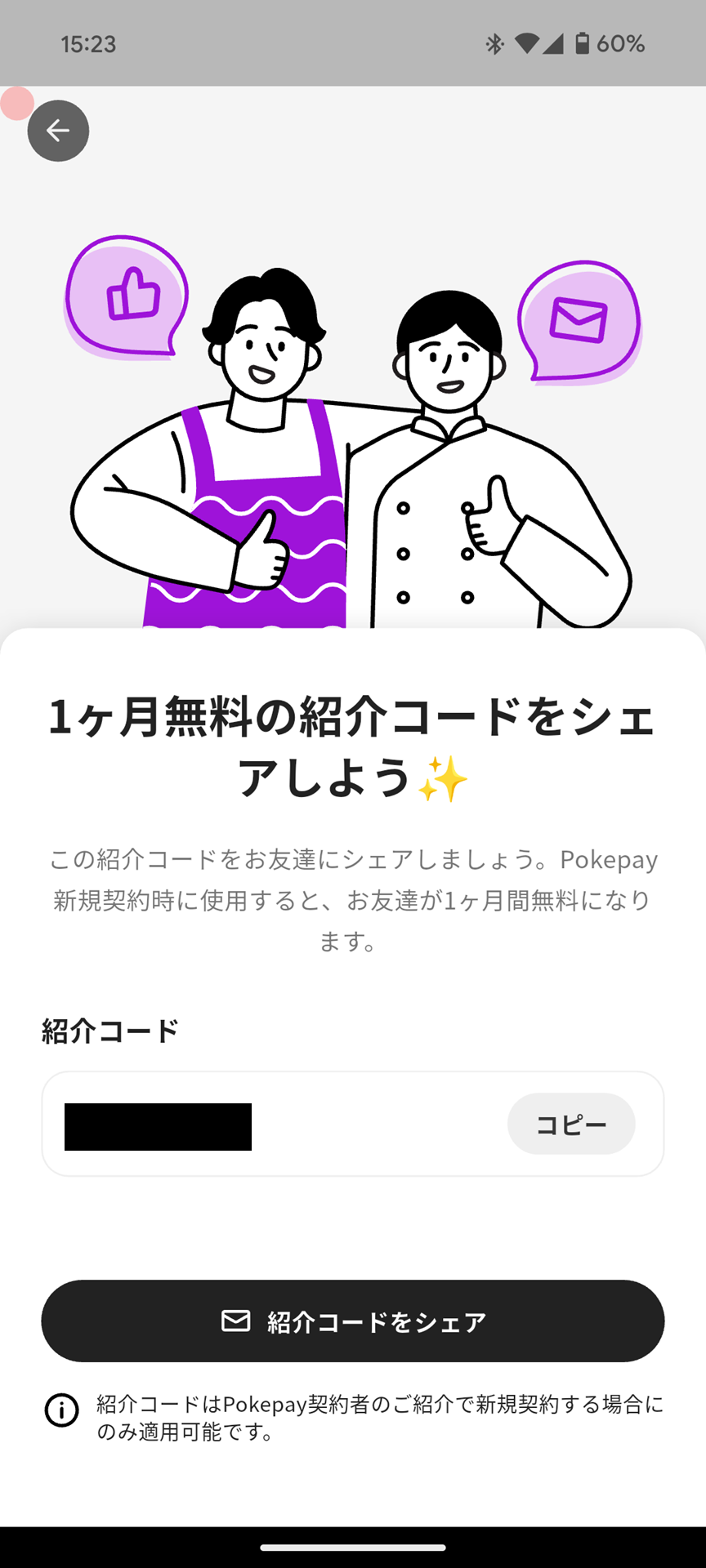
You can share a referral code with someone you know by following these steps.
1. Tap "Menu" in the navigation bar.
2. Tap "Referral Program". If you hid it, it is shown under "Plan and Usage".
3. Tap "Copy" or "Share Referral Code", then share the referral code with your friend using your preferred method.
## Enter a Referral Code (For the Person You Refer)
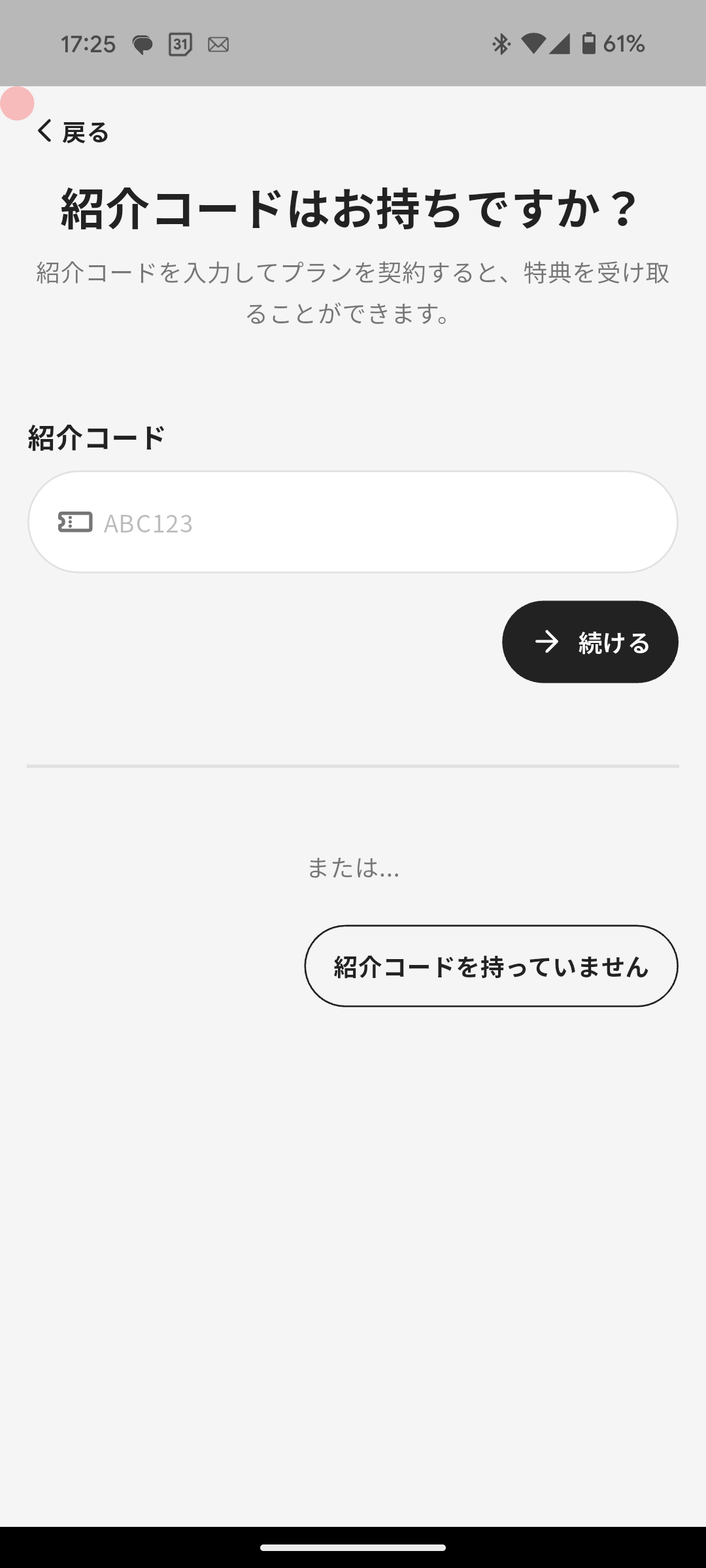
The person you refer can start using Pokepay with the referral benefit by following these steps.
1. When applying for a new contract, enter the referral code on the screen where referral code entry is available, then tap "Continue".
2. After selecting the desired plan, tap "Choose this plan" and follow the instructions to complete the application.
Overview
Section titled “Overview”You can send someone you know a referral code that gives them a free period after they subscribe.
If someone you know is considering introducing prepaid e-money, or is thinking about how to attract repeat customers and grow loyal customers, use this feature to introduce Pokepay.
Share a Referral Code with Someone You Know
Section titled “Share a Referral Code with Someone You Know”
You can share a referral code with someone you know by following these steps.
- Tap “Menu” in the navigation bar.
- Tap “Referral Program”. If you hid it, it is shown under “Plan and Usage”.
- Tap “Copy” or “Share Referral Code”, then share the referral code with your friend using your preferred method.
Enter a Referral Code (For the Person You Refer)
Section titled “Enter a Referral Code (For the Person You Refer)”
The person you refer can start using Pokepay with the referral benefit by following these steps.
- When applying for a new contract, enter the referral code on the screen where referral code entry is available, then tap “Continue”.
- After selecting the desired plan, tap “Choose this plan” and follow the instructions to complete the application.
