Check Detailed App Usage in Help and Contact
## Overview
Use **Help and Contact** to get support, check implementation guides, read case studies, and learn how to operate Pokepay. Printable guides are also available for owners, staff, and members.
## Open Help and Contact
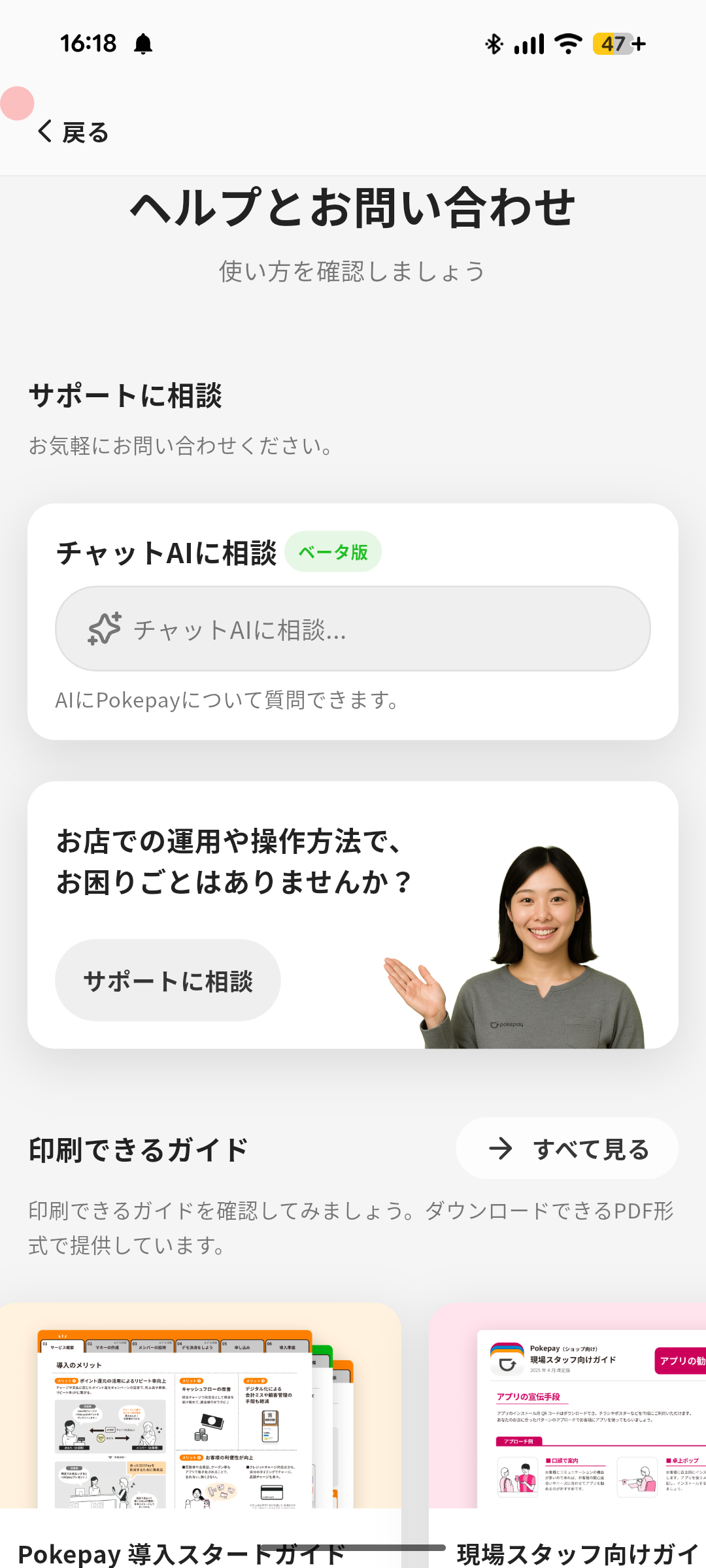
1. Tap the **Menu** icon at the bottom right of the Home screen.
2. Tap **Help and Contact**.
3. Select the content you want to use.
## Available Content
- **Contact Support**
- Contact support by Chat AI, online consultation, message, email, or phone.
- **Printable Guide**
- Download PDF guides such as the Pokepay Implementation Start Guide, Staff Guidebook, and Install Guide.
- **Case Studies**
- Read interviews with shops that use Pokepay in different industries.
- **How-To Guide**
- Learn Pokepay step by step, including the quick tour.
- **How-To Videos**
- Watch videos that explain how to use the app.
- **Help Page**
- Open official help pages and FAQs.
Overview
Section titled “Overview”Use Help and Contact to get support, check implementation guides, read case studies, and learn how to operate Pokepay. Printable guides are also available for owners, staff, and members.
Open Help and Contact
Section titled “Open Help and Contact”
- Tap the Menu icon at the bottom right of the Home screen.
- Tap Help and Contact.
- Select the content you want to use.
Available Content
Section titled “Available Content”- Contact Support
- Contact support by Chat AI, online consultation, message, email, or phone.
- Printable Guide
- Download PDF guides such as the Pokepay Implementation Start Guide, Staff Guidebook, and Install Guide.
- Case Studies
- Read interviews with shops that use Pokepay in different industries.
- How-To Guide
- Learn Pokepay step by step, including the quick tour.
- How-To Videos
- Watch videos that explain how to use the app.
- Help Page
- Open official help pages and FAQs.
