Configure Notification Settings for Operations
## Overview
You can choose whether to receive notifications for many operational events, including transactions, member registration, member deactivation, and messages from members.
Notification methods can be set to push notification, email, both, or no notification. Use these settings to follow up quickly in different operational situations.
## Configure Notification Settings
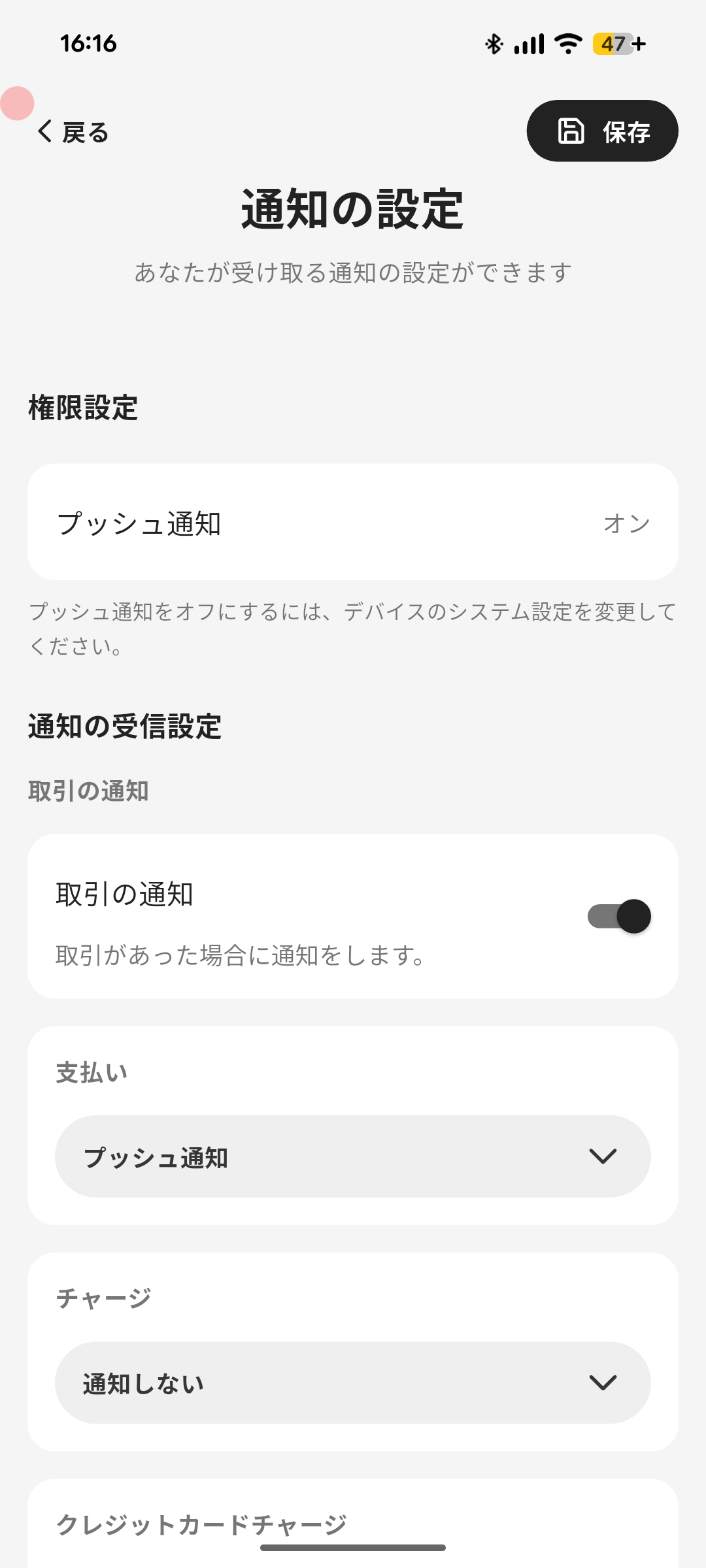
Follow these steps to change notification settings.
1. Tap the menu icon at the bottom right of the home screen.
2. Tap "Notification Settings".
3. If needed, set the preferred language for notifications.
4. Select notification methods for each condition. You can choose "Push Notification" and "Email"; if neither is selected, no notification is sent.
- Some transaction notification items are hidden when their feature or setting is unavailable. Their saved notification methods reappear when the feature is enabled again.
1. Transaction Notifications
1. Payment
2. Charge
3. Credit Card Charge
4. Gift Issued
5. Payment by Gift
6. Charge by Gift
7. Remittance
8. Point Reward
9. Manual Payment (Advanced)
10. Manual Charge (Advanced)
11. Cancellation Transaction
12. Balance Expiration
2. Member Notifications
1. Member Registration
2. Member Deactivation
3. Messages from Members
3. Message Notifications
1. Messages from Pokepay
5. Tap "Save".
Overview
Section titled “Overview”You can choose whether to receive notifications for many operational events, including transactions, member registration, member deactivation, and messages from members.
Notification methods can be set to push notification, email, both, or no notification. Use these settings to follow up quickly in different operational situations.
Configure Notification Settings
Section titled “Configure Notification Settings”
Follow these steps to change notification settings.
- Tap the menu icon at the bottom right of the home screen.
- Tap “Notification Settings”.
- If needed, set the preferred language for notifications.
- Select notification methods for each condition. You can choose “Push Notification” and “Email”; if neither is selected, no notification is sent.
- Some transaction notification items are hidden when their feature or setting is unavailable. Their saved notification methods reappear when the feature is enabled again.
- Transaction Notifications
- Payment
- Charge
- Credit Card Charge
- Gift Issued
- Payment by Gift
- Charge by Gift
- Remittance
- Point Reward
- Manual Payment (Advanced)
- Manual Charge (Advanced)
- Cancellation Transaction
- Balance Expiration
- Member Notifications
- Member Registration
- Member Deactivation
- Messages from Members
- Message Notifications
- Messages from Pokepay
- Tap “Save”.
