Create a Shop
## Overview
Create the Shop where you will run transactions with your e-money.
A default shop is registered when you start. If you operate multiple shops, rename it or add more shops as needed.
## Create a Shop
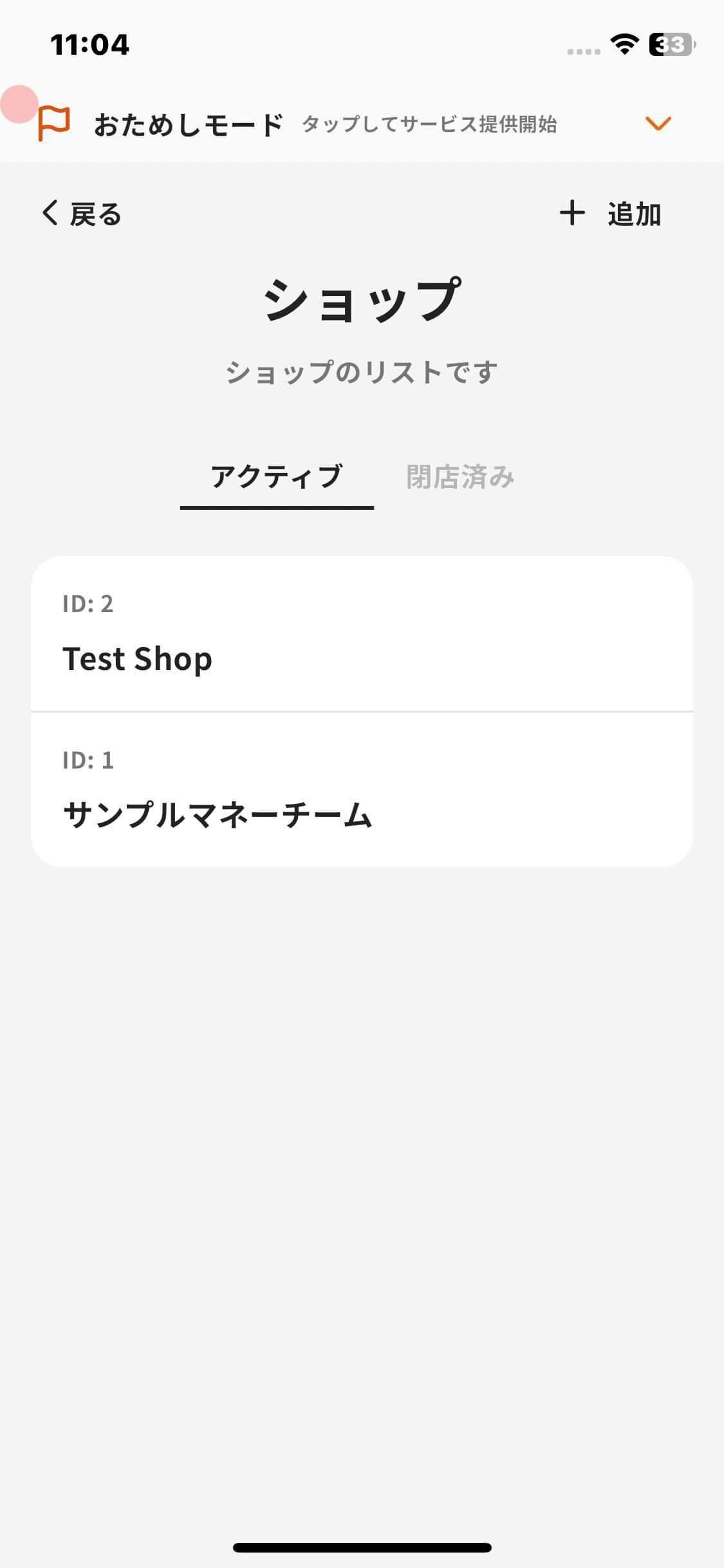
You can create a shop with the following steps.
1. Tap **Menu** in the navigation bar.
2. Tap **Shops**.
3. Tap **Add** in the upper-right corner.
4. Enter the shop name.
5. Tap **OK** on the confirmation screen.
## Why Create Shops?
Creating shops helps you manage operations.
> **Transactions are easier to summarize.**
>
> You can check transactions by shop from the shop detail screen, and you can also summarize data with Reports and Export.
>
> **You can print shop-specific payment QR codes.**
>
> You can issue a payment QR code for each shop.
Overview
Section titled “Overview”Create the Shop where you will run transactions with your e-money.
A default shop is registered when you start. If you operate multiple shops, rename it or add more shops as needed.
Create a Shop
Section titled “Create a Shop”
You can create a shop with the following steps.
- Tap Menu in the navigation bar.
- Tap Shops.
- Tap Add in the upper-right corner.
- Enter the shop name.
- Tap OK on the confirmation screen.
Why Create Shops?
Section titled “Why Create Shops?”Creating shops helps you manage operations.
Transactions are easier to summarize.
You can check transactions by shop from the shop detail screen, and you can also summarize data with Reports and Export.
You can print shop-specific payment QR codes.
You can issue a payment QR code for each shop.
