Switch E-money
## Overview
If multiple e-money services are registered, you can switch which e-money you operate.
You cannot configure or operate multiple e-money services at the same time in the app. Switch between them as needed.
## Switch E-money
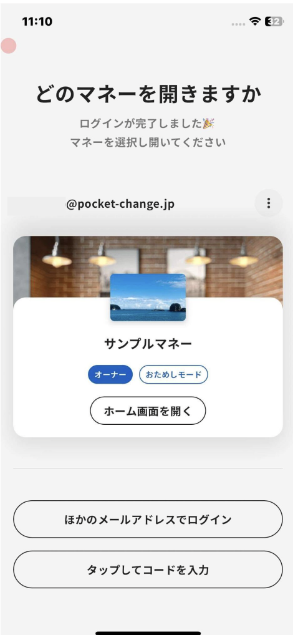
1. Tap your account (your name and photo) in the upper-right corner of Home.
2. Tap **Switch e-money**.
3. Tap the card of the e-money you want to use.
Overview
Section titled “Overview”If multiple e-money services are registered, you can switch which e-money you operate.
You cannot configure or operate multiple e-money services at the same time in the app. Switch between them as needed.
Switch E-money
Section titled “Switch E-money”
- Tap your account (your name and photo) in the upper-right corner of Home.
- Tap Switch e-money.
- Tap the card of the e-money you want to use.
