Set the E-money Name and Unit
<div class="notion-yellow-bg">
> ⚠️ To protect users, changes after service launch require re-review and a member notification period.
</div>
## Overview
In Pokepay, you can give your e-money an original name and unit.
## Change the E-money Name and Unit
You can change the name and unit that were set when the e-money was created.
There are two ways to change them.
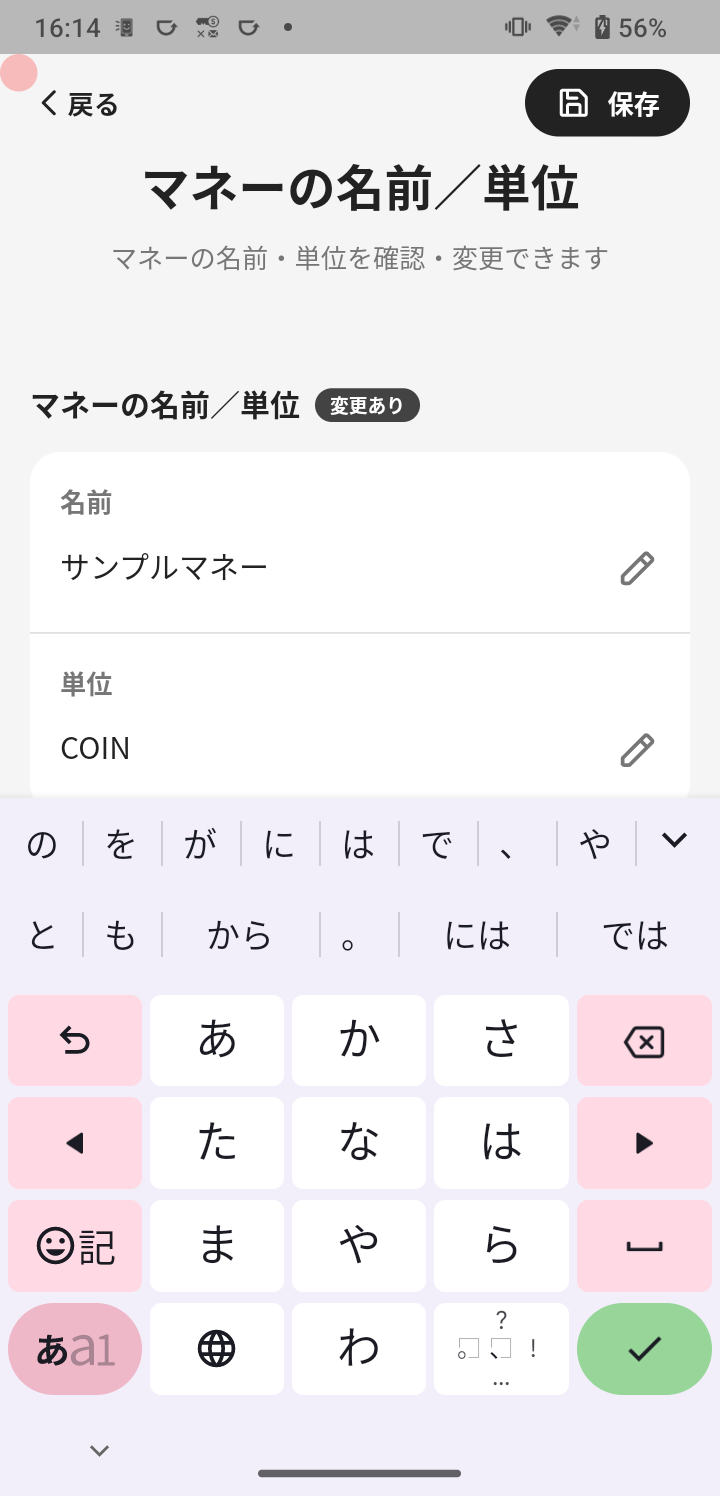
### Change from Settings
1. Tap **Menu** in the navigation bar.
2. Tap **E-money Settings**.
3. Tap **E-money name / unit**.
#### Set the e-money name
1. Tap the **Name** field.
2. Enter the e-money name you want to use.
#### Set the e-money unit
1. Tap the **Unit** field.
2. Enter the unit name you want to use.
1. Tap **Save**.
### Change During Plan Application
During plan application, the **E-money name / unit** screen is shown in the application flow.
Confirm that the name and unit are correct before submitting the application.
## Notes
Changes after service launch require re-review and a member notification period.
⚠️ To protect users, changes after service launch require re-review and a member notification period.
Overview
Section titled “Overview”In Pokepay, you can give your e-money an original name and unit.
Change the E-money Name and Unit
Section titled “Change the E-money Name and Unit”You can change the name and unit that were set when the e-money was created.
There are two ways to change them.

Change from Settings
Section titled “Change from Settings”- Tap Menu in the navigation bar.
- Tap E-money Settings.
- Tap E-money name / unit.
Set the e-money name
Section titled “Set the e-money name”- Tap the Name field.
- Enter the e-money name you want to use.
Set the e-money unit
Section titled “Set the e-money unit”-
Tap the Unit field.
-
Enter the unit name you want to use.
-
Tap Save.
Change During Plan Application
Section titled “Change During Plan Application”During plan application, the E-money name / unit screen is shown in the application flow.
Confirm that the name and unit are correct before submitting the application.
Changes after service launch require re-review and a member notification period.
