Share Updates with Members Using a Custom Status
## Overview
Share updates from your shop with all members. You can casually announce campaigns, shop events, or other timely information.
## Set a Custom Status
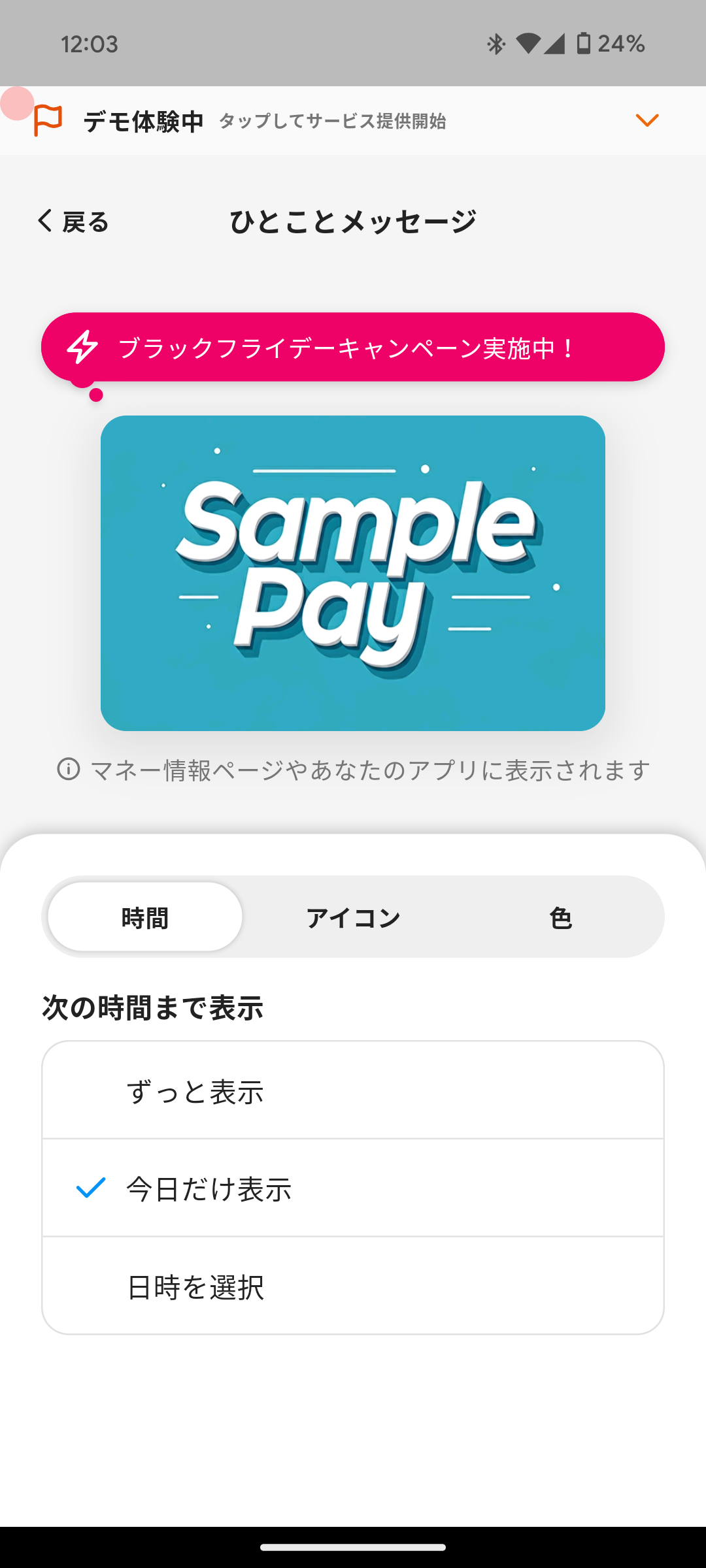
Follow these steps to set a Custom Status.
1. Tap the speech bubble shown above the card image on the home screen.
2. Tap "Edit Custom Status".
3. Tap the bubble and enter the message.
4. Configure the following from the tabs at the bottom.
* **Period**: Display period for the message.
- Don't clear
- Keep showing it with no end date.
- Use this for regular services or ongoing notices you want members to see.
- End of today
- Show it until the end of the selected day.
- Use this for same-day events or casual shop updates.
- Set date and time
- Show it until the selected date and time.
- Use for limited-time campaigns.
* **Icon**: The icon displayed before the message.
* **Color**: The background color of the speech bubble.
5. Tap "Apply".
Overview
Section titled “Overview”Share updates from your shop with all members. You can casually announce campaigns, shop events, or other timely information.
Set a Custom Status
Section titled “Set a Custom Status”
Follow these steps to set a Custom Status.
-
Tap the speech bubble shown above the card image on the home screen.
-
Tap “Edit Custom Status”.
-
Tap the bubble and enter the message.
-
Configure the following from the tabs at the bottom.
- Period: Display period for the message.
- Don’t clear
- Keep showing it with no end date.
- Use this for regular services or ongoing notices you want members to see.
- End of today
- Show it until the end of the selected day.
- Use this for same-day events or casual shop updates.
- Set date and time
- Show it until the selected date and time.
- Use for limited-time campaigns.
- Don’t clear
- Icon: The icon displayed before the message.
- Color: The background color of the speech bubble.
- Period: Display period for the message.
-
Tap “Apply”.
