Send Point Rewards Remotely
## Overview
Use this when you want to send points to a specific member remotely. You can also send the same point amount to multiple members at once, which can be useful for campaigns.
When sending points to multiple members, the same point amount is sent to each member.
The target members receive a notification. If you enter a message, it is included in the notification. If you do not enter a message, the default notification is used.
## Send Points to a Specific Member
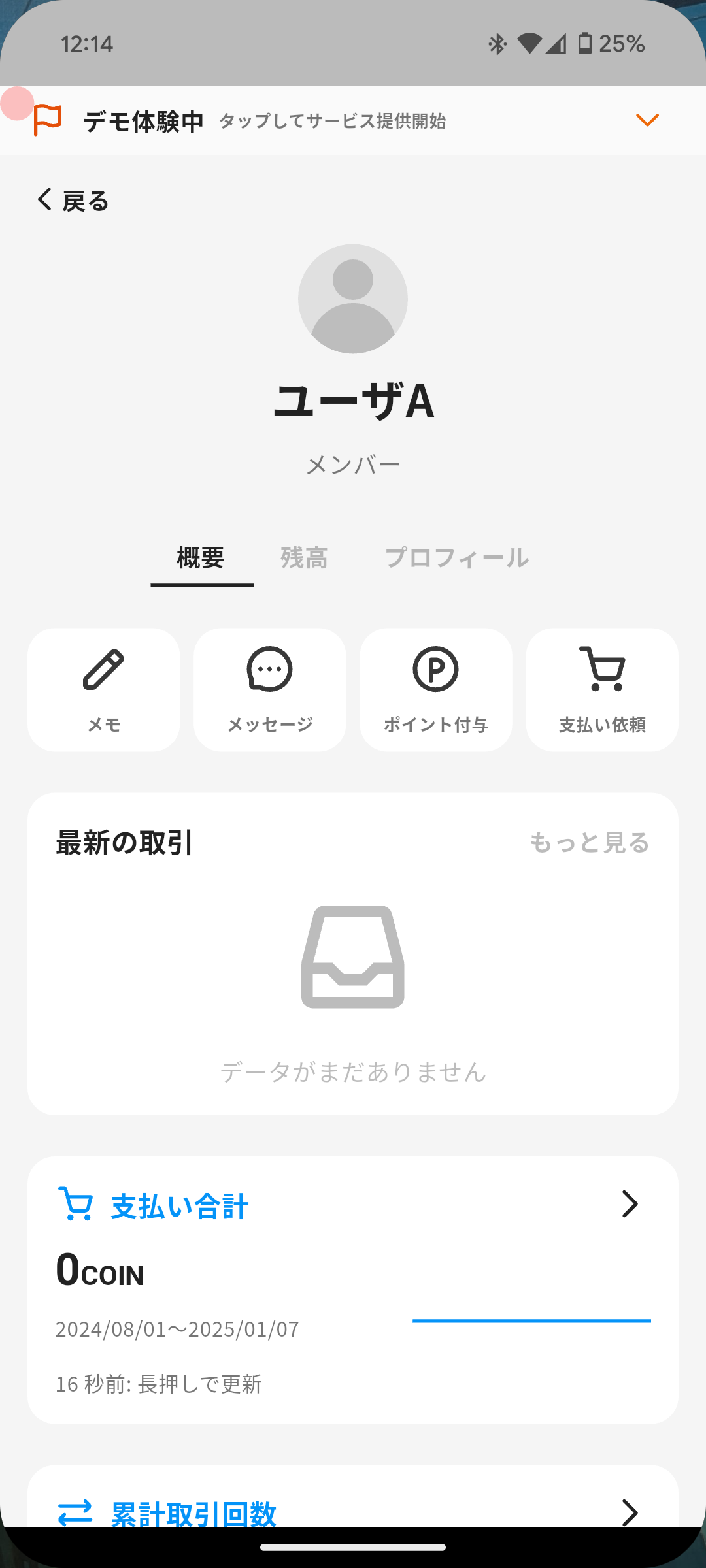
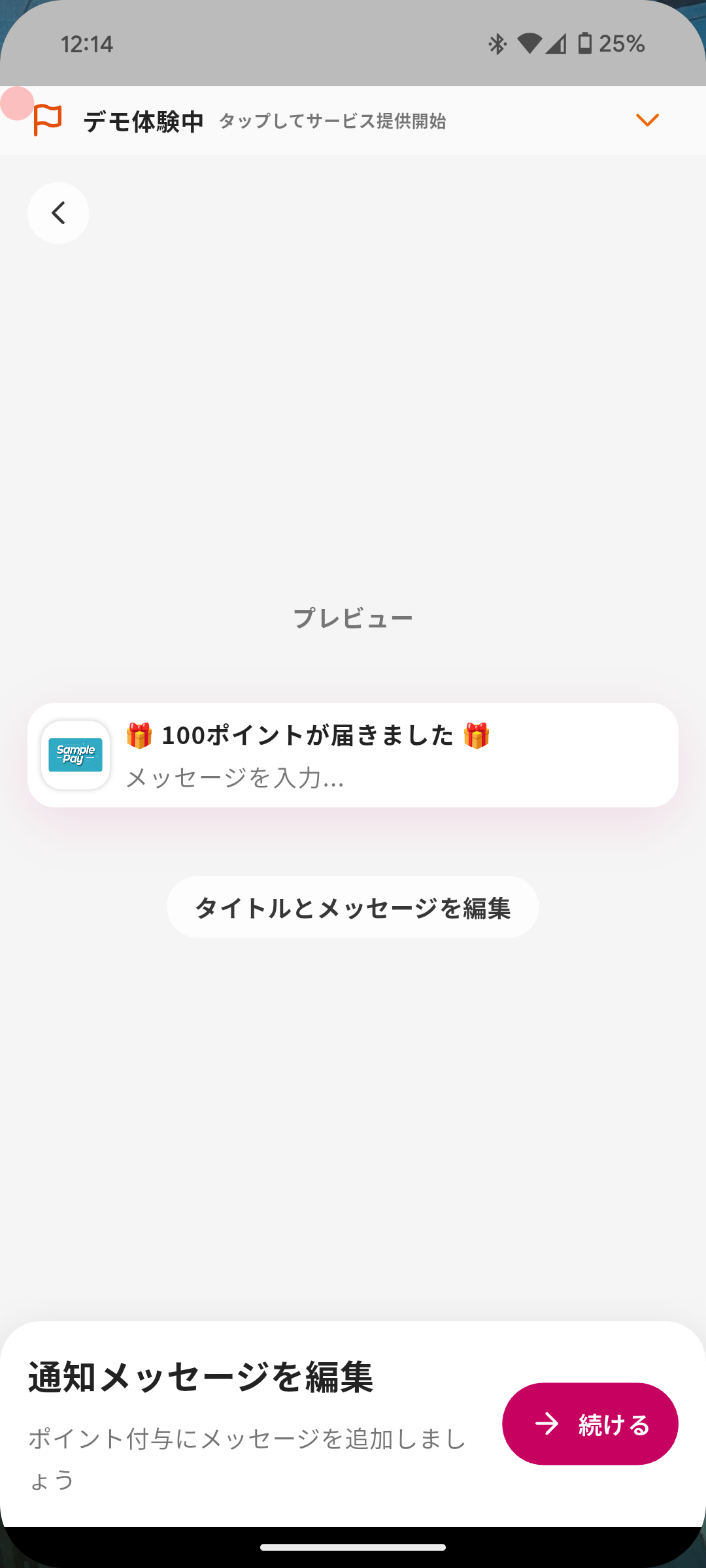
You can directly send points to a member with the following steps.
1. Tap "Menu" in the navigation bar.
2. Tap "Members".
3. Tap the member you want to send points to.
4. Tap "Point Reward".
5. Enter the point amount.
6. Optionally edit the title and message shown to the member when points are rewarded.
7. Tap "Send".
1. The member can confirm the points after opening the app.
2. The member is notified that points were rewarded, together with the message you entered.
## Send Points to Multiple Members
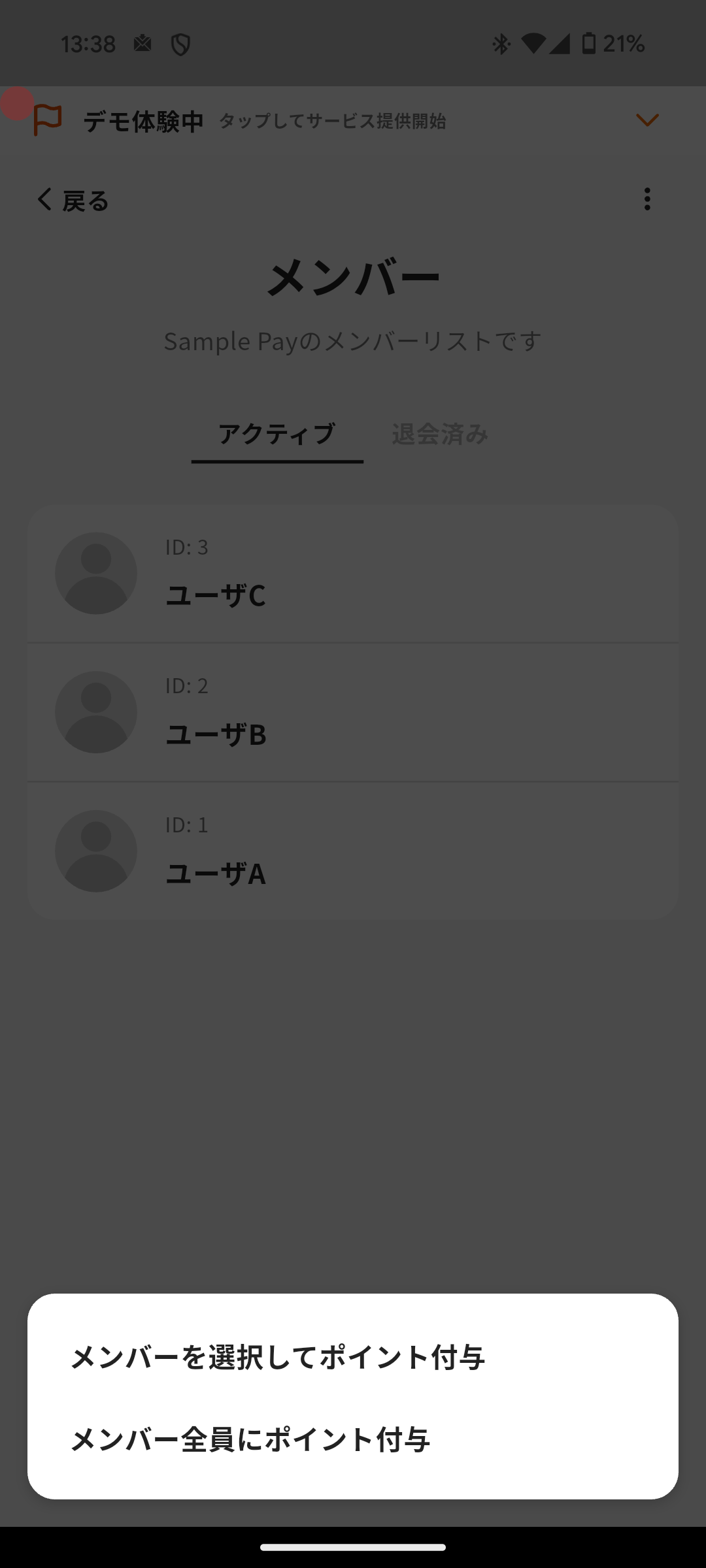
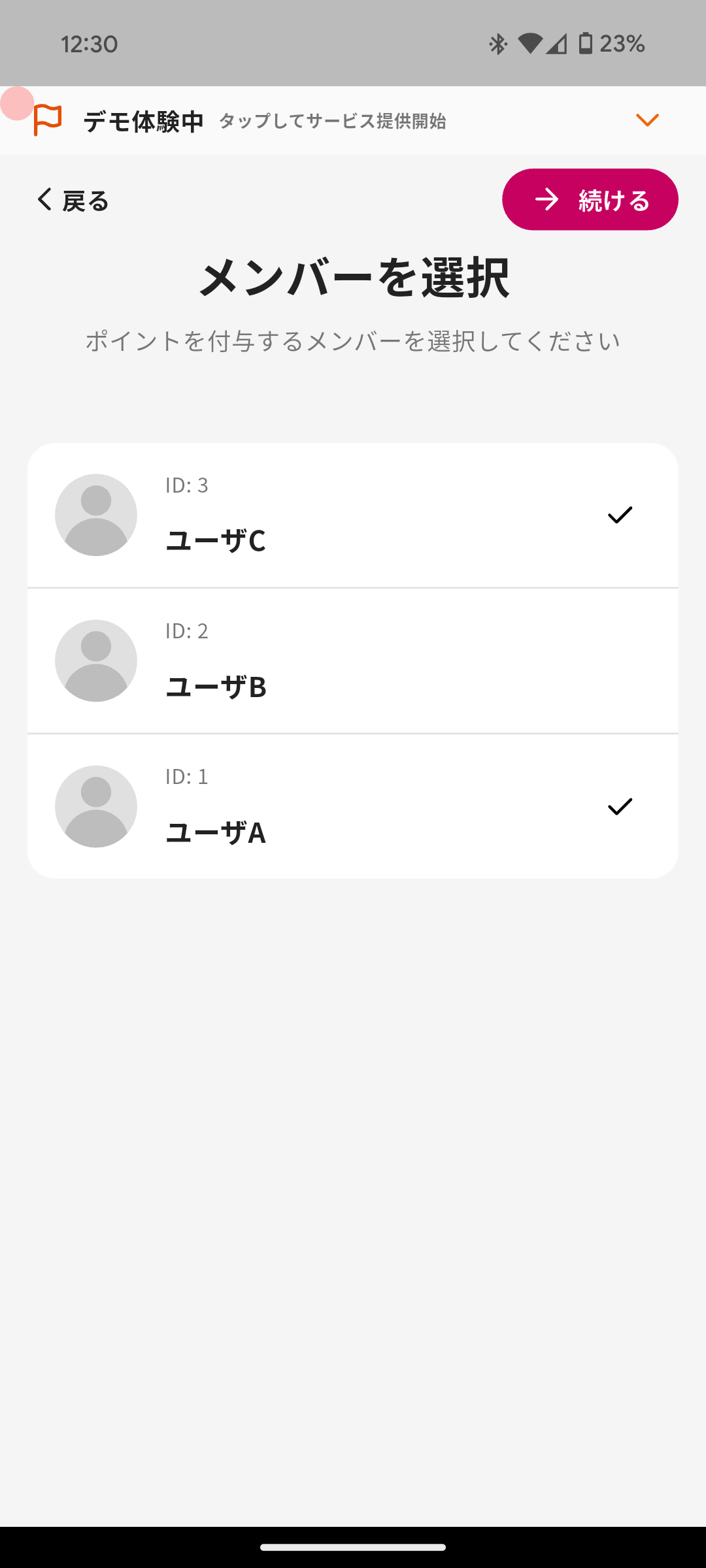
You can send points to multiple members with the following steps.
1. Tap "Menu" in the navigation bar.
2. Tap "Members".
3. Tap the menu in the top right and choose how to send points.
1. "Select Members for Point Reward" sends points to selected members.
2. "Point Reward to All Members" sends points to all members.
4. Enter the point amount.
5. Confirm the target members.
1. For "Select Members for Point Reward", select the members from the member list.
2. For "Point Reward to All Members", all members are targeted.
6. Optionally edit the title and message shown to members when points are rewarded.
7. Tap "Send".
1. Members can confirm the points after opening the app.
2. Members are notified that points were rewarded, together with the message you entered.
Overview
Section titled “Overview”Use this when you want to send points to a specific member remotely. You can also send the same point amount to multiple members at once, which can be useful for campaigns.
When sending points to multiple members, the same point amount is sent to each member.
The target members receive a notification. If you enter a message, it is included in the notification. If you do not enter a message, the default notification is used.
Send Points to a Specific Member
Section titled “Send Points to a Specific Member”

You can directly send points to a member with the following steps.
- Tap “Menu” in the navigation bar.
- Tap “Members”.
- Tap the member you want to send points to.
- Tap “Point Reward”.
- Enter the point amount.
- Optionally edit the title and message shown to the member when points are rewarded.
- Tap “Send”.
- The member can confirm the points after opening the app.
- The member is notified that points were rewarded, together with the message you entered.
Send Points to Multiple Members
Section titled “Send Points to Multiple Members”

You can send points to multiple members with the following steps.
- Tap “Menu” in the navigation bar.
- Tap “Members”.
- Tap the menu in the top right and choose how to send points.
- “Select Members for Point Reward” sends points to selected members.
- “Point Reward to All Members” sends points to all members.
- Enter the point amount.
- Confirm the target members.
- For “Select Members for Point Reward”, select the members from the member list.
- For “Point Reward to All Members”, all members are targeted.
- Optionally edit the title and message shown to members when points are rewarded.
- Tap “Send”.
- Members can confirm the points after opening the app.
- Members are notified that points were rewarded, together with the message you entered.
